The UK Office for Product Safety and Standards has published a high-risk recall covering power supply units supplied with certain Zebra printers. The action expands an earlier 2016 recall to include affected PSUs manufactured from 1 October 2006 through 31 December 2012.
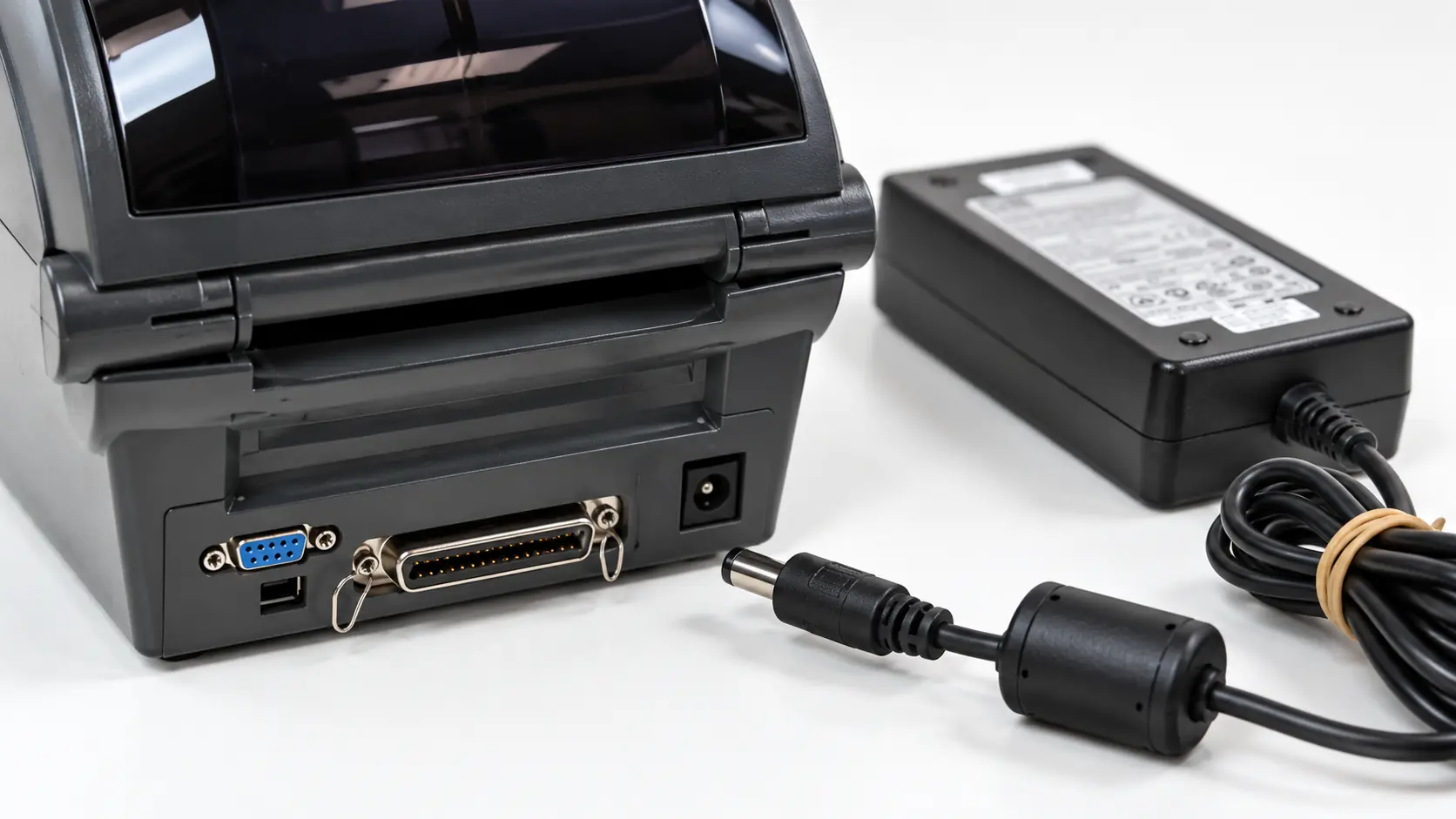
The reported hazard is concentrated at the DC power connector where the lead enters the printer. Users and organisations should identify the PSU itself, not assume that every printer in a listed family is affected.
What the expanded recall covers
The notice names the GK420d and lists multiple desktop and card-printer families that may have been supplied with affected power units. Desktop families include AP, GC, GK, GX and GT ranges, HC100, selected H, LP, TLP and R models, PS4000, T2, Thermal 284x, ZP4xx and ZP5xx. Card-printer families include BR1xxx, CN1xxx, J1xxx, P1xxx, SC1xxx, WM1xxx, ZXP Series 1 and ZXP Series 3x.
That model list is a screening aid, not proof that a particular PSU is recalled. The affected component was supplied by FSP Group and must be validated through the manufacturer’s recall process using its label and date information.
The UK report describes the unit in connection with specialised healthcare printing, including prescriptions, repeat-order forms and dispensing labels. Similar PSU hardware may also appear with other eligible Zebra desktop or card printers listed by the manufacturer.
Why the connector can overheat
According to OPSS, the flame-retardant resin used in certain DC power connectors may contain an improperly mixed phosphorus compound. When that material is exposed to moisture and humidity over time, it can deteriorate and create conditions for overheating.
The fire risk is reported at the power lead where it enters the appliance. Heat damage may therefore appear around the low-voltage connector or printer inlet rather than at the AC wall plug.
The notice does not provide an incident count, failure rate or a visual test that can reliably clear a unit. Absence of visible damage should not replace the official PSU validation process.
Why an older PSU can remain in service
Printers used for labels, cards and prescriptions often remain installed longer than ordinary office devices. They may be transferred between counters, stored as spares, paired with replacement printers or retained after other equipment is upgraded.
This creates an asset-control problem: the printer model may be recorded, while the external power brick and its date code are not. A recalled PSU can also become separated from the printer with which it was originally supplied.
Healthcare, retail, warehousing and access-control sites should therefore check cupboards, contingency kits and bench spares as well as equipment currently powered on.
What users should do
- Locate every relevant PSU: include installed units, spares and adapters held for maintenance or business continuity.
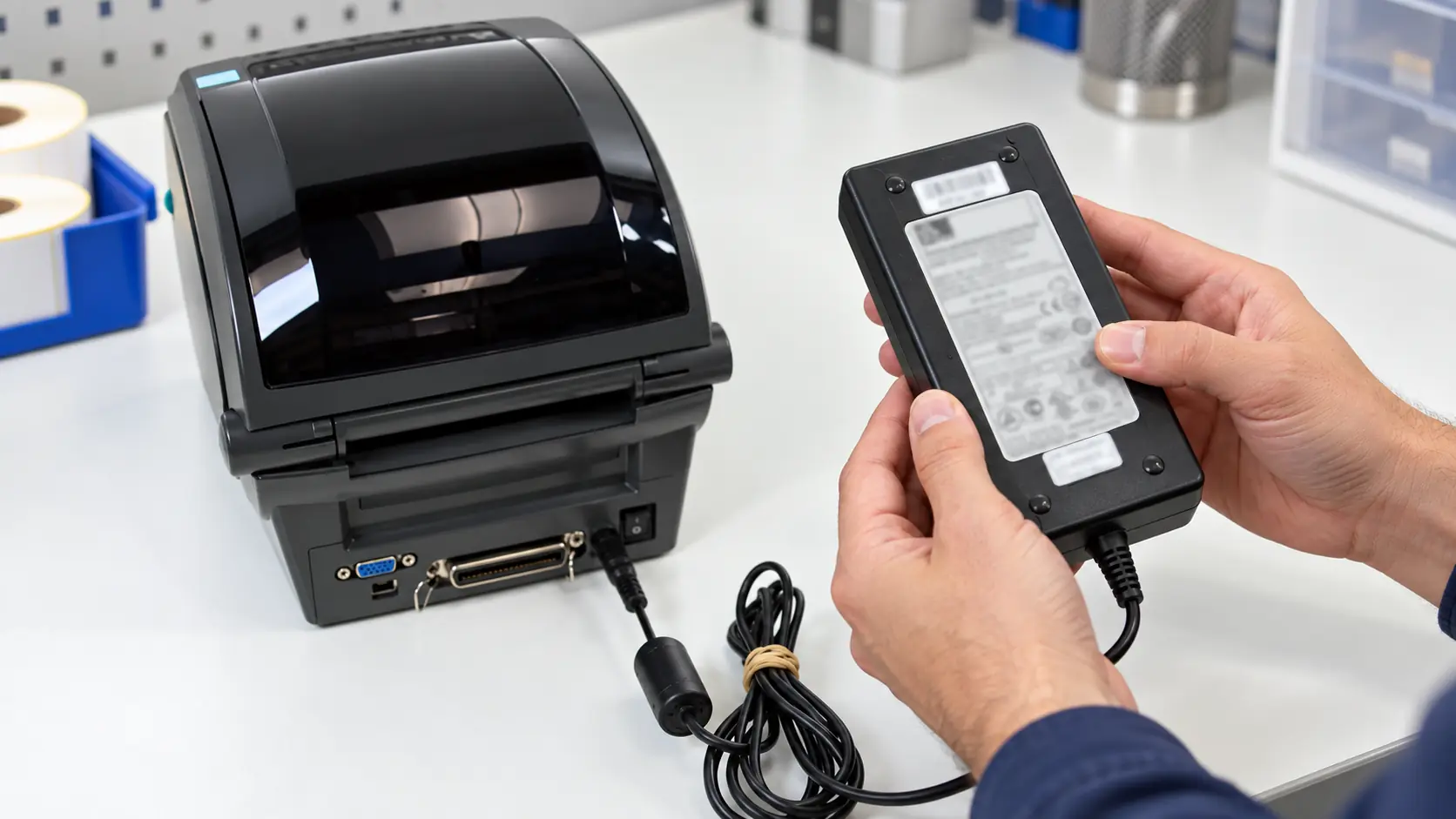
- Record the PSU label: capture manufacturer, model, serial and date information without relying only on the printer name.
- Use Zebra’s recall validation: check the component through the manufacturer’s current recall page.
- Follow the official result: use the replacement and disposal instructions supplied for a confirmed affected unit.
- Do not open the power brick: the enclosure is not a user-serviceable inspection point.
- Treat heat damage seriously: if there is discolouration, odour, deformation or unusual heat, stop using the equipment safely and escalate through the authorised support route.
- Preserve service continuity: healthcare and operational sites should plan an approved replacement before returning critical printers to use.
Checks for facilities and procurement teams
A useful audit links each printer asset to the actual PSU connected to it. Inventory records should include location, printer family, PSU manufacturer and model, date code, validation result and replacement status.
Procurement teams should avoid selecting a generic adapter only by output voltage and plug fit. Output current, polarity, connector dimensions, insulation, approvals and manufacturer compatibility all matter.
Where equipment supports prescriptions or dispensing labels, the replacement plan should also account for operational downtime, test printing and confirmation that the printer returns to normal service without introducing an unapproved power source.
Regulatory context
The affected products were placed on the market before the Electrical Equipment (Safety) Regulations 2016 took effect. OPSS therefore assesses them against duties in the Electrical Equipment (Safety) Regulations 1994.
The report cites the general requirement for safety, protection against non-electrical hazards and resistance to external influences. The moisture-related ageing mechanism is relevant to those requirements even though the PSU output is low voltage.
This is also a reminder that an expanded recall can reach components manufactured many years earlier. Age does not remove the need to act when an official programme is extended.
What the notice does not establish
The notice does not say that every Zebra printer, every GK420d or every FSP power supply is defective. It does not provide a universal manufacturing location, a complete unit count or permission to substitute an arbitrary third-party adapter.
Users should not determine status solely from the printer’s appearance, installation date or current operating condition. The PSU label and the manufacturer’s recall validation route are the decisive checks.
Takeaway
The expanded UK recall turns an old peripheral into a current asset-management task. Organisations should find the external power units associated with listed Zebra printer families, validate their labels through Zebra’s recall process and replace confirmed affected PSUs without opening or repairing them.